Oversite Web Application Design
Client: Oversite
Year: 2024
Overview
Oversite Software, a leader in HR solutions, approached us to design a comprehensive web application to streamline the process of matching the right people to the right projects. The goal was to create an intuitive and efficient user experience that could handle complex data and workflows, all within a single interface.
Challanges
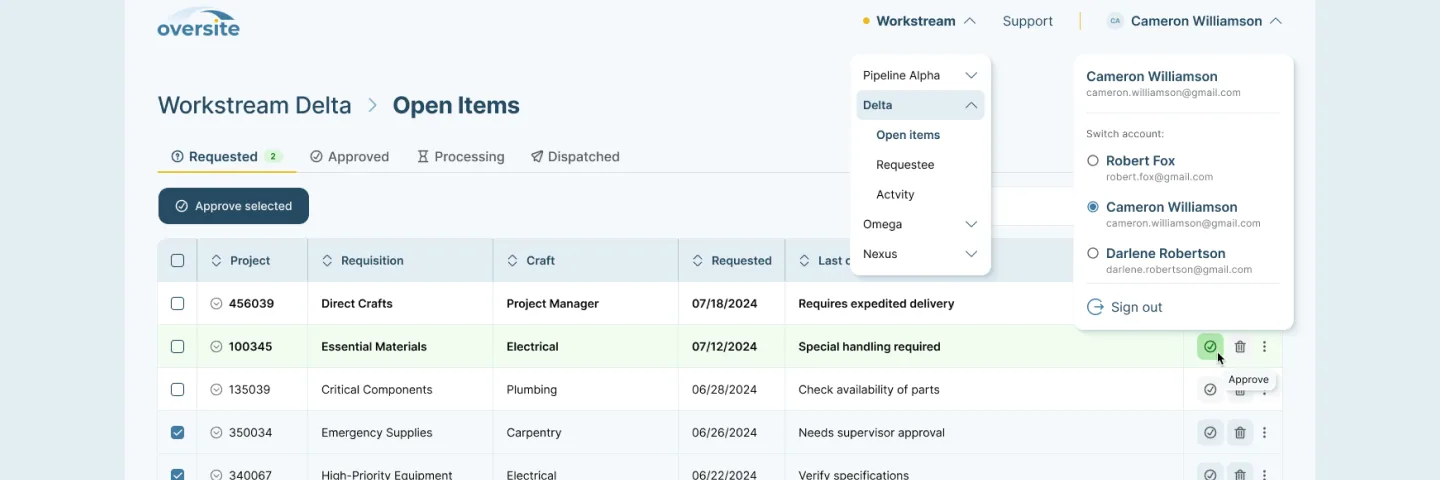
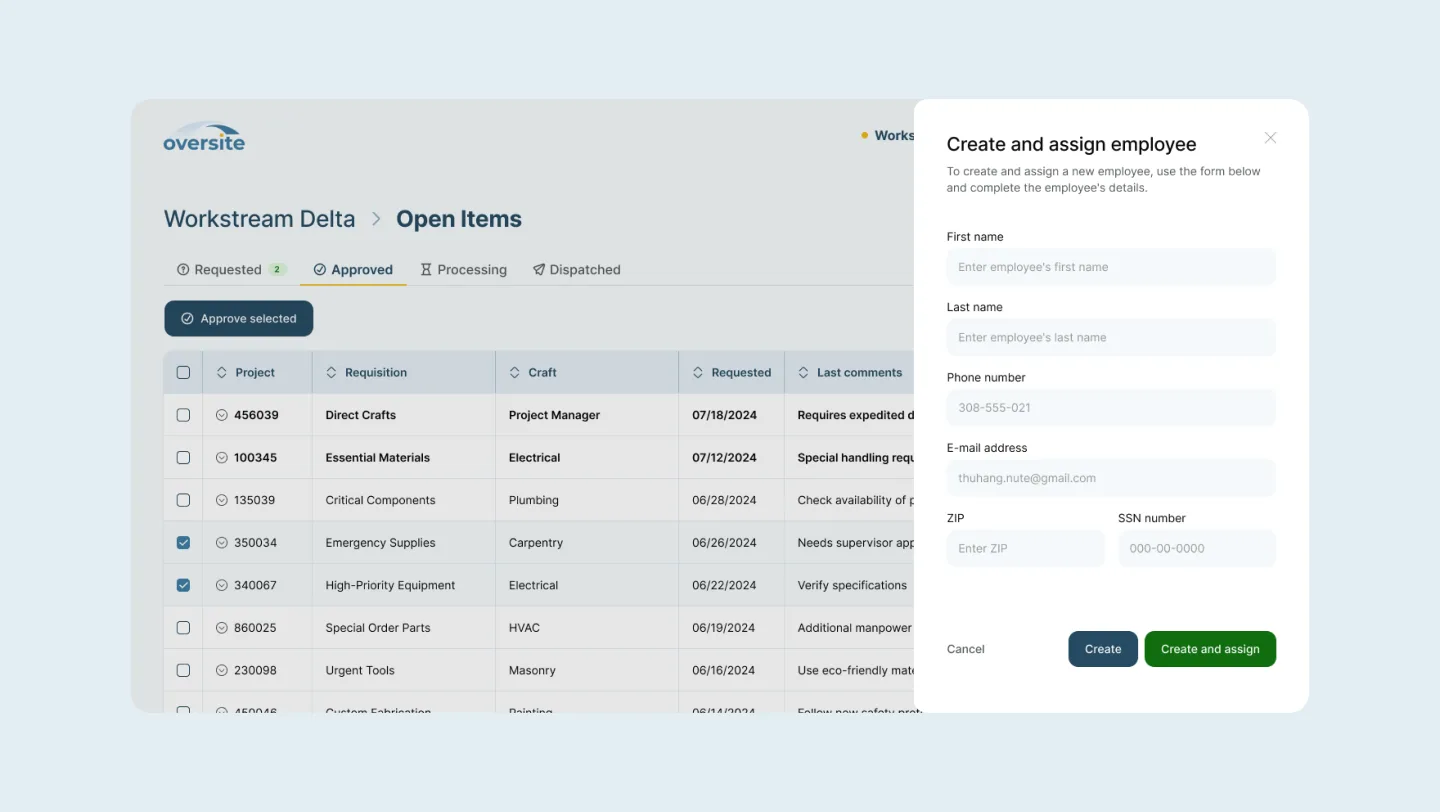
- 1.Unified Interface: Ensuring all functions and actions occur within a single mega interface, reducing page navigation to a minimum.
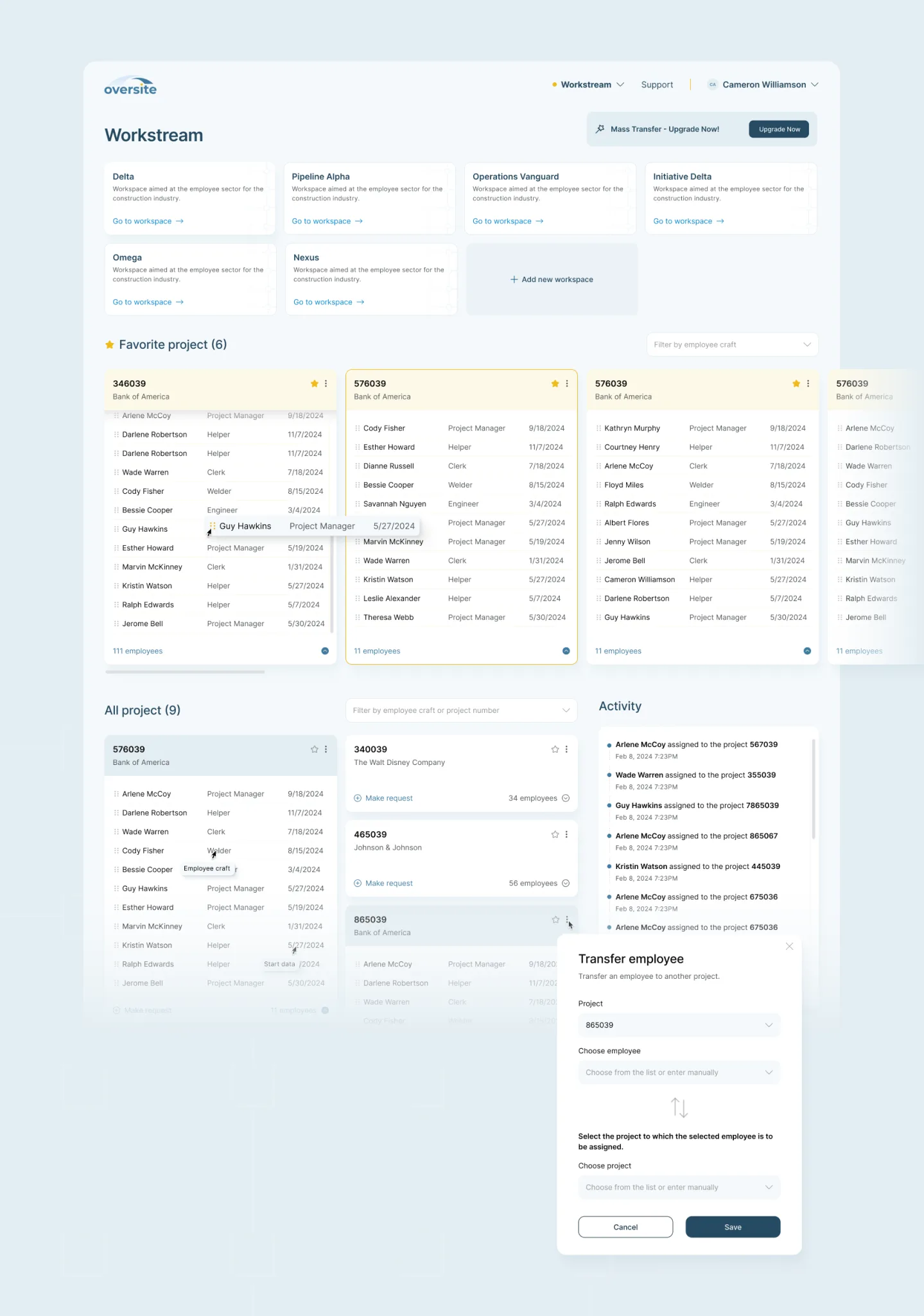
- 2.Dashboard Design: Creating a dashboard that allows easy visualization and management of projects and employees, with drag-and-drop functionality
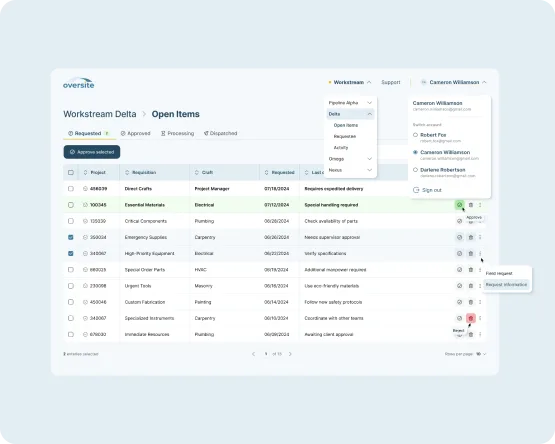
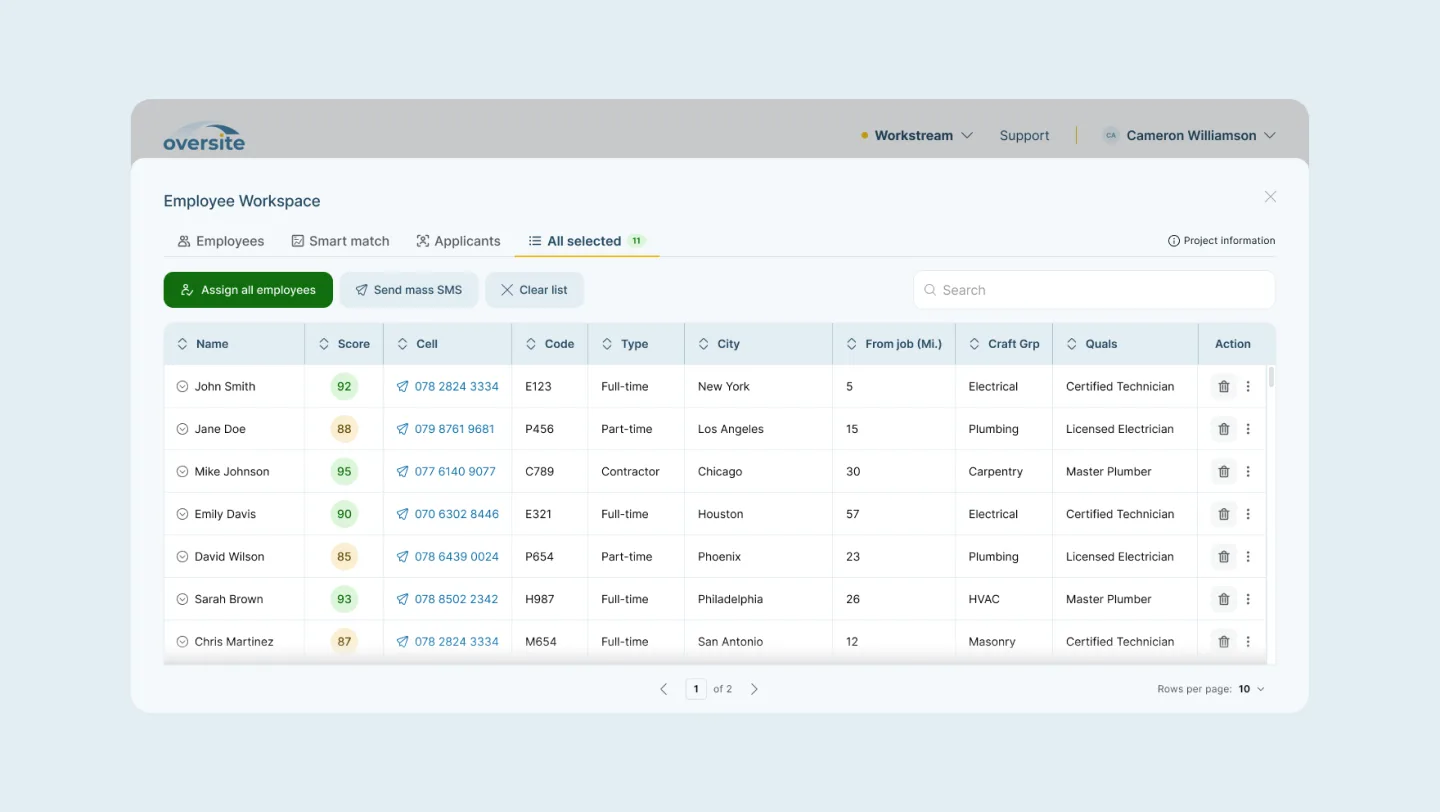
- 3.Excel-like Tables: Designing tables that mimic the familiarity and functionality of Excel, accommodating large amounts of data without overwhelming the user.
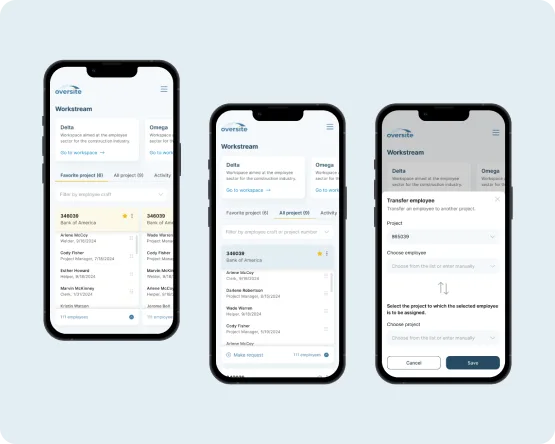
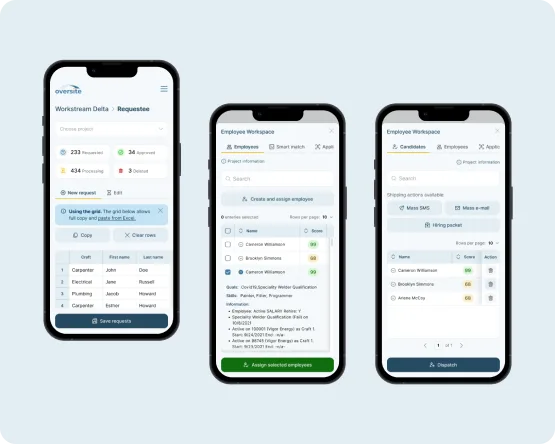
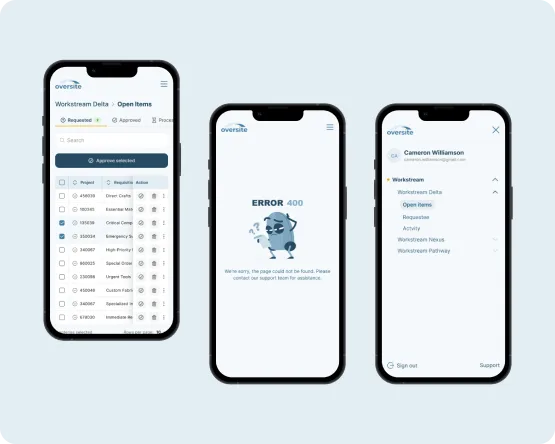
- 4.Responsive Design: Ensuring seamless usability on both desktop and mobile devices.
Solution
1. Unified Interface
We developed a mega interface where users can perform all necessary actions without leaving the main screen. This design minimizes disruptions and enhances productivity by reducing the need to navigate through multiple pages.
2. Interactive Dashboard
The dashboard serves as the central hub for project and employee management. It features:
- A drag-and-drop system for assigning employees to projects.
- Real-time updates and visual indicators for project statuses.
- Customizable views to filter and prioritize information.
3. Excel-like Tables
To replicate the familiar Excel experience, we designed tables with:
- Advanced sorting and filtering options.
- Inline editing capabilities.
- Scrollable and resizable columns to manage extensive data effortlessly.
- A responsive layout that adapts to different screen sizes.
4. Responsive Design
We ensured that the application delivers a consistent and efficient experience across all devices. The mobile version retains the core functionalities of the desktop version, with an adaptive design that caters to touch interactions.
Process
- 1.Project Acceptance: The process begins with the approval of new projects within the application.
- 2.Employee Matching: Managers can then select and assign employees to these projects using the drag-and-drop interface.
- 3.Data Management: Throughout the process, managers have access to detailed tables and dashboards that provide insights and control over project and employee data.
Results
The Oversite application successfully meets the client's needs by:
- Providing a unified interface that keeps all actions on a single screen, minimizing disruptions and boosting productivity.
- Delivering an interactive dashboard with drag-and-drop assignment, real-time status updates, and customizable views for effortless project oversight.
- Implementing Excel-like tables with advanced sorting, inline editing, and responsive layouts, enabling managers to handle large datasets with ease.
By addressing the core challenges, we delivered a robust and user-friendly HR management tool that improves efficiency and productivity for Oversite Software's clients.
More case studies
All case studies
This project was delivered as part of our Web & Mobile App Development work.